Channel sync
Channel sync for Booking.com, Airbnb and more
A night sold on a portal is blocked in Nuitina, and a night sold in Nuitina is blocked on the portal. It works with calendar links, room by room, and it is honest about what that can and cannot do.
How the sync behaves
Both directions
Bookings from a portal block the room in your calendar. Your own bookings, including direct ones, block the room on the portal.
Per room
Each room has its own link on each channel. A house with six rooms and two portals simply has twelve small links to paste, once.
Any iCal calendar
Booking.com and Airbnb are the usual ones, but any portal or tool that offers an iCal link can be connected the same way.
No guest names leave the house
The secret link that you give a portal contains occupancy only, no guest names. The link for a channel leaves out that channel's own bookings.
Overlaps are flagged
If two bookings ever collide, the Today dashboard and the channel settings show how many, so you can fix it before the guest arrives.
Read now
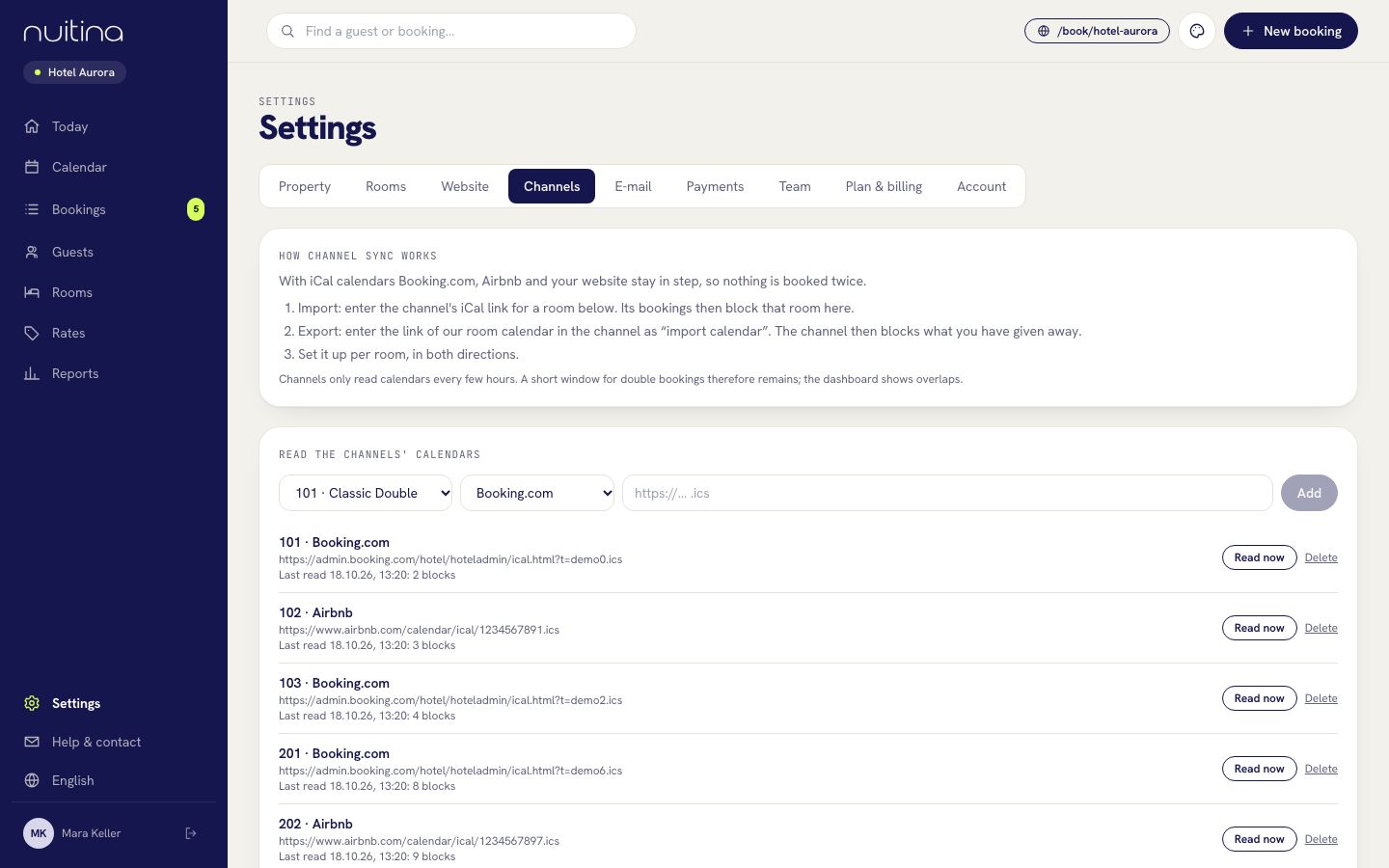
Nuitina reads imported calendars about every ten minutes. In a hurry, press Read now under Settings → Channels.
How to connect a room
Copy the portal's calendar link
In the portal, find the iCal or calendar export link for the room. Paste it into the room under Settings → Channels. Its bookings now block that room in Nuitina.
Give the portal your link
Every room has a secret iCal link in Nuitina. Paste it into the portal as an imported calendar. Your direct bookings now block the room there.
Check the status
Each channel shows when it was last read and how many blocks it holds. If an overlap with your own bookings appears, it is marked in red.
The honest limit. This is calendar sync, not a live connection to the portals' own systems. Portals refresh the calendars they import only every few hours. In that short window the same night can be sold twice. Nuitina reads their calendar quickly and flags any overlap, but it cannot stop the portal from selling in that gap.
What is not synchronised
Only availability travels over iCal. Prices, rates and room descriptions are not pushed to the portals, so you keep maintaining them there. A live two-way API connection to Booking.com or Airbnb is not available at the moment.
Many small houses live well with this: the portals bring guests, the calendar keeps the nights straight, and the direct booking page brings the guests who would otherwise pay commission.
Questions people ask
Can I avoid double bookings completely?
Not completely. Because portals refresh calendars only every few hours, a short window remains. Nuitina narrows it and flags every overlap on your dashboard so you can react.
Does it work with Booking.com and Airbnb?
Yes, over their iCal calendar links. Step-by-step guides: connect Booking.com and connect Airbnb.
Are my prices updated on the portals?
No. Only availability is synchronised. Prices and descriptions stay in the portal.
Does the portal see my guests' names?
No. The link you give a portal contains occupancy only, no names.
Is channel sync an extra cost?
No, it is included in the one plan. See pricing.
Related
Connect Booking.com
Import your Booking.com calendar per room and export Nuitina's room calendars, so a night sold on one side is blocked on the other.
Read moreConnect Airbnb
Link each Airbnb listing with a Nuitina room through two iCal calendars, so a night booked on Airbnb or in Nuitina is blocked on the other side.
Read moreiCal calendar sync: why double bookings happen and how to avoid them
How iCal calendar sync works, why portals refresh only every few hours, and the habits that keep a small hotel clear of double bookings.
Read moreConnect your first room
Try channel sync in the free trial. No card needed.