Online check-in
Online check-in: the form is done before the guest arrives
Guests fill in their registration details on their phone, when it suits them. At the desk, a welcome and a signature are what is left. Around it, short e-mails keep the stay on track.
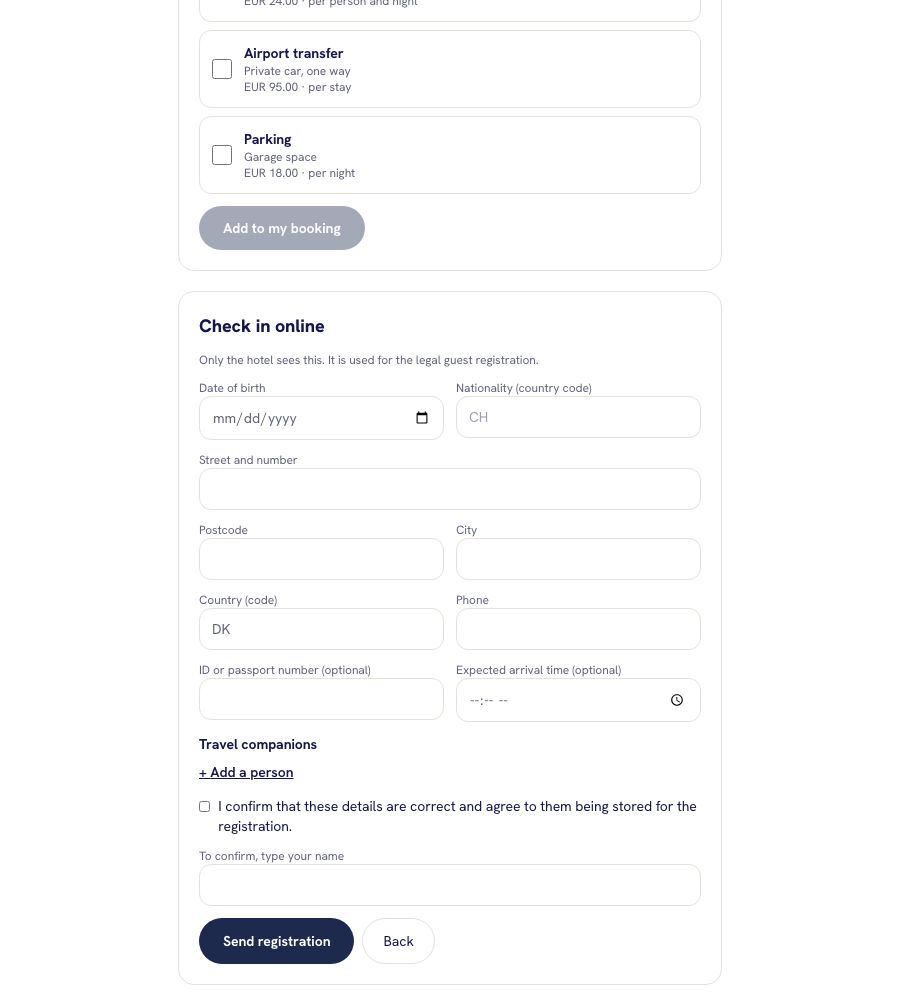
What guests fill in
Personal details
Date of birth, nationality, address, phone and, optionally, an ID number. Guests see plainly that only the hotel can read the data.
Companions
Guests add the other people in the party, with name, date of birth and nationality, up to the number booked.
Expected arrival
They enter roughly when they will come. You see it as an arrival time on the booking.
Consent and signature
Guests confirm that the data is correct and agree to its storage for the registration. They type their name to sign.
Registered online
In the booking you see whether the guest registered online or not yet, and who confirmed it, and when.
Printable form
The registration form (Meldeschein) can still be printed for the files, with the data already in it.
How it works
The guest books
The booking confirmation e-mail, sent in the guest's language, carries the link to their booking.
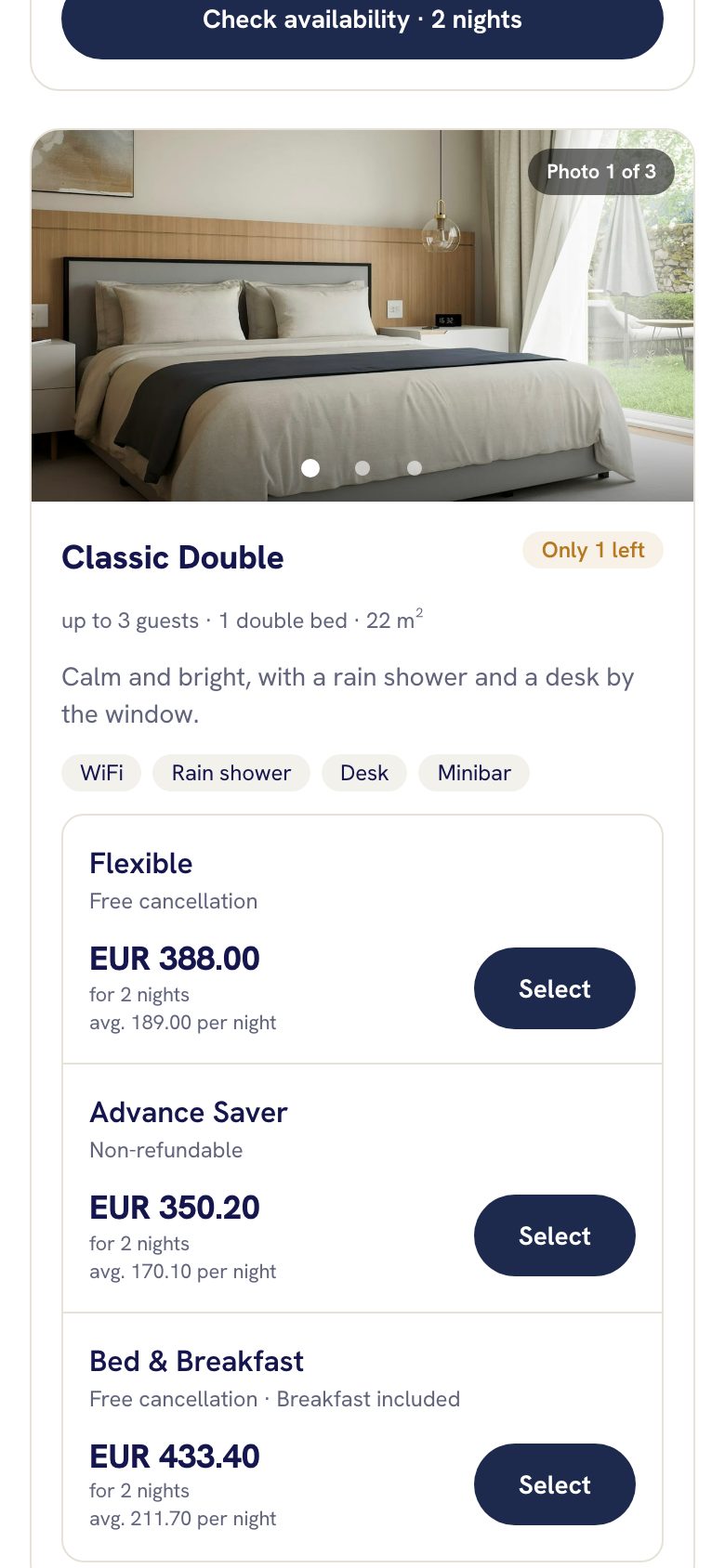
The guest registers
On the booking page the guest opens the check-in form and fills it in, before arrival and in their own language.
You welcome them
At the desk you see the booking marked as registered online, check the guest in and only the signature is left.
Earn more and stay in touch
Upsells at booking
Offer extras such as breakfast, transfer, parking or late check-out while guests book. They pick what they like and it joins the booking.
A note the day before
If you switch it on, guests get a friendly message the day before arrival with the check-in time and the link to their booking.
Thank-you mail after the stay
The day after departure, a thank-you mail with your review link (Google, Tripadvisor and so on). Without a link, no mail is sent.
Questions people ask
Does online check-in replace the front desk?
No. It moves the paperwork before arrival. You still welcome the guest and check them in.
Who can see the data guests enter?
Only the hotel. It is used for the legal guest registration.
Is the form in the guest's language?
Yes, in the eight languages of the booking page.
Can I stop the e-mails before and after the stay?
Yes. The day-before note and the thank-you mail are settings you switch on or off. See the guide online check-in.
Is it included in the price?
Yes, with everything else in the one plan. See pricing.
Related
Online check-in
Let guests fill in their registration before they arrive: how they get the link, what they enter, where you see it and how to print the registration form.
Read moreBooking engine
A booking engine for your own website or your own Nuitina booking page: eight languages, photos, extras, promo codes and no commission.
Read moreHousekeeping
A room board for the cleaning team: which rooms are dirty, clean or inspected, who leaves today, who arrives, with notes and room photos.
Read moreSkip the paperwork at the desk
Try online check-in with your own booking in the free 30-day trial.